

















 深耕数码、AI兴趣领域










7
5
Docker实践:Docker部署etherpad文档编辑器
2025-03-10 22:30:34
5点赞
4收藏
2评论
Docker实践:Docker部署etherpad文档编辑器
一、Etherpad介绍
1.Etherpad简介
Etherpad是一个高度可定制的开源在线编辑器,提供真正实时的协作编辑。
2.Etherpad特点
Etherpad 允许您实时协作编辑文档,就像在浏览器中运行的实时多人编辑器一样。与您的朋友、同学或同事一起撰写文章、新闻稿、待办事项等,所有这些都在同一时间处理同一个文档。
二、检查本地docker服务状态
[root@docker ~]# systemctl status docker
● docker.service - Docker Application Container Engine
   Loaded: loaded (/usr/lib/systemd/system/docker.service; enabled; vendor preset: disabled)
   Active: active (running) since Mon 2022-10-24 14:10:39 CST; 6h ago

 Main PID: 9426 (dockerd)
    Tasks: 41
   Memory: 1.7G
   CGroup: /system.slice/docker.service
三、下载Etherpad镜像
下载Etherpad镜像,如下所示:
[root@docker ~]# docker pull etherpad/etherpad
Using default tag: latest
latest: Pulling from etherpad/etherpad
a10c77af2613: Pull complete
e66c53b2d7ce: Pull complete
f075c52d5e9e: Pull complete
180083ba7828: Pull complete
47e7e5f16683: Pull complete
b2a2e6d96a60: Pull complete
6e7fdcf8a3ed: Pull complete
97989a99633c: Pull complete
4f4fb700ef54: Pull complete
48d2f6ec6297: Downloading
669fe533f308: Download complete
3ddcc11be40f: Download complete
1db652f33098: Download complete
latest: Pulling from etherpad/etherpad
4be315f6562f: Pull complete
96866e173b1b: Pull complete
ccc6ddd9a8b3: Pull complete
3212537995a3: Pull complete
36ed153d6379: Pull complete
bc53350ced68: Pull complete
437200c9e697: Pull complete
8c21086c8d61: Pull complete
4f4fb700ef54: Pull complete
2c6ad18aa9dd: Pull complete
b2c75e5c9954: Pull complete
79a690b74de1: Pull complete
09f3bbc78945: Pull complete
Digest: sha256:7d97804b5a9751f9fabdbdbdb003fa5644690a6b845e91a1450b15246bf06a83
Status: Downloaded newer image for etherpad/etherpad:latest
docker.io/etherpad/etherpad:latest
四、部署Etherpad容器
1.创建数据目录
[root@docker ~]# mkdir -p /data/etherpad
[root@docker ~]# cd /data/etherpad/
2.目录授权
需要指定挂载目录权限,个人或测试环境可授予完全权限。
chmod -R 777 /data/etherpad/
3.创建Etherpad容器
[root@docker etherpad]# docker run -d --name etherpad --restart always -p 9001:9001 -v /data/etherpad/data:/opt/etherpad-lite/var etherpad/etherpad:latest
d1ad595bda8babddd108d3932f02c167e3bb0ef57c121ab55a1186e4c147305e
4.查看Etherpad容器状态
[root@docker etherpad]# docker ps -a
CONTAINER ID   IMAGE                      COMMAND                  CREATED         STATUS                            PORTS                                       NAMES
d1ad595bda8b   etherpad/etherpad:latest   "docker-entrypoint.s…"   3 minutes ago   Up 4 seconds (health: starting)   0.0.0.0:9001->9001/tcp, :::9001->9001/tcp   etherpad
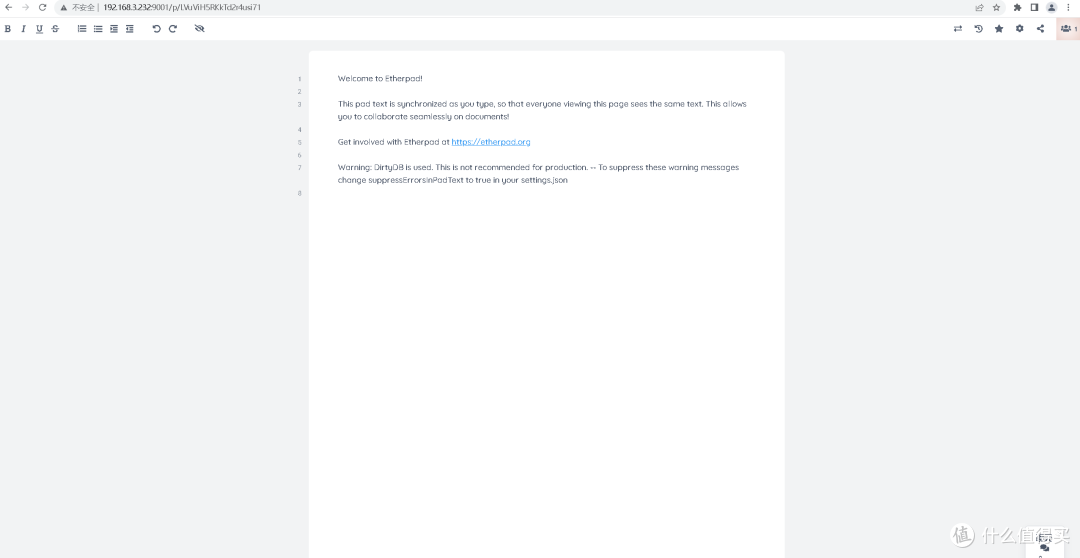
五、访问Etherpad首页

六、Etherpad基本操作
1.新建记事本
2.发送协作聊天消息

3.导入文本内容
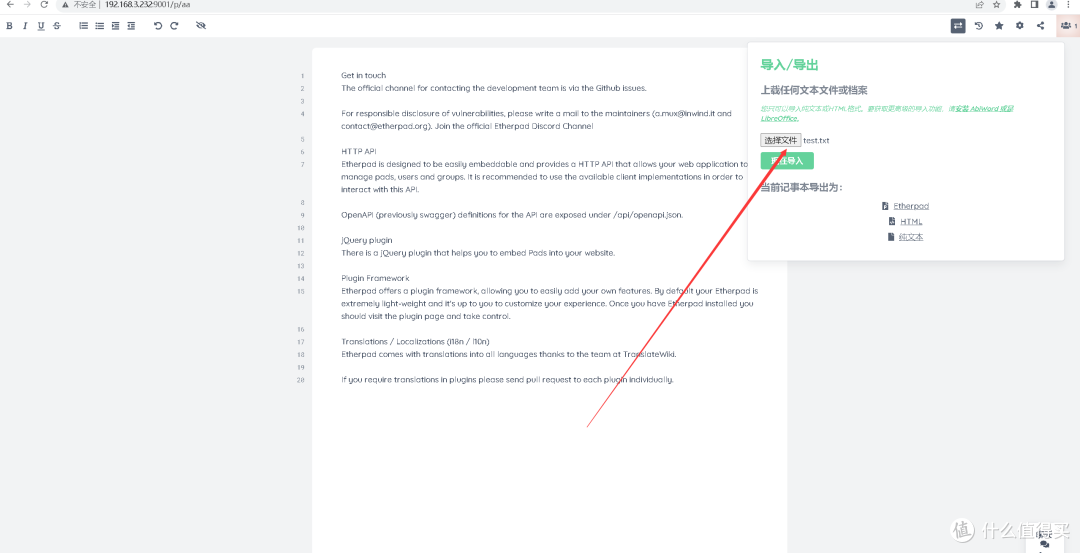
4.查看导入文本内容

七、总结
通过上述步骤,我们成功地在本地Docker环境中部署了Etherpad,实现了文档的实时协作编辑功能。Etherpad以其简洁的界面和强大的实时协作能力,为团队提供了一个高效沟通和合作的平台。无论是新建记事本、发送聊天消息还是导入文本内容,用户都能体验到流畅且直观的操作流程。
作者声明本文无利益相关,欢迎值友理性交流,和谐讨论~
















校验提示文案
校验提示文案