


















31
8
ONLYOFFICE 文档 9.0.3 开发者版:API 更新说明
2025-07-14 09:15:43
0点赞
1收藏
0评论

ONLYOFFICE 文档 9.0.2 最新版已发布,包含多项更新,提供更丰富的功能、更灵活的自定义选项和更强的性能。开发者或集成者若想使用增强的 API,此版本值得深入探索。阅读本文了解详情。
请注意:为了更好的阅读体验,本文省略了许多相关链接,若有需要可查看原文:
图表查看器
新增的图表查看器支持网页端、桌面端及移动网页端,无需第三方应用即可打开图表文件。
 图片
图片API 位置:diagram 文档类型已加入 documentType 参数。
支持新文件格式
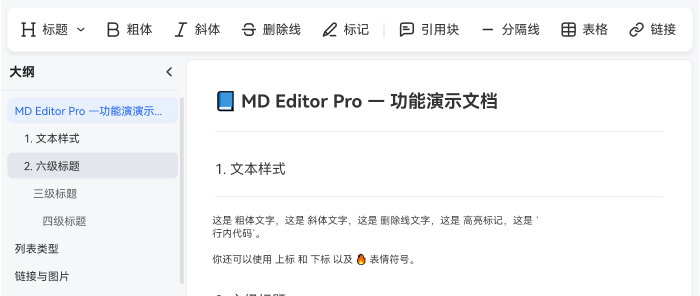
ONLYOFFICE 持续扩展文件格式兼容性。9.0 版本支持查看 Markdown 和 OpenDocument 图形文件。
 图片
图片API 位置:新增对 odg 和 md 格式的打开支持。
此外,配合图表查看器发布,我们新增了 vsdm、vsdx、vssm、vssx、vstm、vstx 格式转换功能。立即查看 API:https://api.onlyoffice.com/docs/docs-api/additional-api/conversion-api/conversion-tables/#diagram-document-file-formats
扩展自定义选项
9.0 版本大幅提升自定义能力,让最终用户按需定制使用体验。
新的界面主题
推出现代浅色和现代深色两个主题,优化编辑器视觉呈现。
API 位置:editorConfig.customization.uiTheme 参数新增 theme-white 与 theme-night 主题 ID。
const config = {editorConfig: {customization: {...uiTheme: "theme-white",... 图片
图片
简体中文界面字号选择
新参数确保简体中文布局字号精准显示,支持西式或传统中文样式切换。
API 位置:editorConfig.customization.forceWesternFontSize 参数(默认值 false)。
const config = {editorConfig: {customization: {....forceWesternFontSize: false,...
隐藏用户头像
新参数可控制编辑器页眉用户头像显示,打造简洁无干扰界面。
API 位置:editorConfig.customization.layout.header.user 参数(默认值 true)。
const config = {editorConfig: {customization: {...layout: {header: {editMode: true,save: true,user: true,users: true, },
预加载性能优化
9.0 版本起,支持在打开文件前预加载静态资源(HTML/CSS/JS/字体)至浏览器缓存,加速文档编辑器首次加载。查看 API:https://api.onlyoffice.com/docs/docs-api/get-started/configuration/preload/
可选择两种方式:
1) 使用 ?preload=placeholder 参数
<script type="text/javascript" src="https://documentserver/web-apps/apps/api/documents/api.js?preload=placeholder">script>
2) 手动插入预加载 iframe
插件与宏的 API 增强
内容控件自定义按钮:通过 Asc.ButtonContentControl 类创建专属按钮,用 attachOnClick 定义操作并添加功能图标。查看 API:https://api.onlyoffice.com/zh-CN/docs/plugin-and-macros/customization/content-control-buttons/
(
function(window){  window.Asc.plugin.init = function()  {    let button = new Asc.ButtonContentControl();    button.icons = '/resources/check%scale%(default).png';    button.attachOnClick(function(contentControlId){      Asc.plugin.executeMethod("RemoveContentControl", [contentControlId]);    });    button = new Asc.ButtonContentControl();    button.icons = '/resources/close%scale%(default).png';    button.attachOnClick(function(contentControlId){      Asc.plugin.executeMethod("RemoveContentControls", [[{"InternalId": contentControlId}]]);    });  }})(window);
按索引定位幻灯片:通过新增 GoToSlide 方法快速跳转至指定幻灯片。
expression.GoToSlide(slideNumber);
内容控件列表元素:新增 ContentControlListElement 枚举简化文档内容控件管理。
异步计算:在宏创建的自定义函数中管理异步请求。
(function () { /** * World Bank indicator value for a specific year. * @customfunction * @param {string} country ISO-3 code, e.g. "TUR" * @param {string} indicator Indicator code, e.g. "SP.POP.TOTL" * @param {number} year Four-digit year, e.g. 2024 * @returns {any} Numeric value or #N/A * * @example =WB("TUR","SP.POP.TOTL",2024) */ async function WB(country, indicator, year) { // Build URL (World Bank allows CORS) const url = `https://api.worldbank.org/v2/country/${country}/indicator/${indicator}` + `?format=json&per_page=20000`; try { const r = await fetch(url); const [meta, data] = await r.json(); // Find the row for the requested year const row = data.find((v) => v.date === year.toString()); if (!row || row.value == null) return "#N/A"; return row.value; // resolves the Promise } catch (e) { return "#ERROR"; } } // Register the function so it becomes a sheet formula Api.AddCustomFunction(WB);})();
新增示例
最新 API 文档新增更多开箱即用的 Document Builder 和宏示例,提升开发效率。
Builder 框架
用户反馈报告生成
订单数据转发票
雇佣协议生成
个性化投资计划生成
库存报告生成
初创企业市场分析演示稿
商业报价单生成
员工培训计划制定
年度业务报告生成
宏
新增各编辑器类型示例:
图片尺寸调整 (PDF 编辑器)
内容控件列表创建 (文档编辑器)
表格排序 (文档编辑器)
删除重复工作表 (电子表格编辑器)
数据表拆分 (电子表格编辑器)
缩进调整 (演示文稿编辑器)
空段落删除 (演示文稿编辑器)
空文本框移除 (演示文稿编辑器)
查看所有宏示例:https://api.onlyoffice.com/samples/docs/plugin-and-macros/macro-samples/
Office API
Office JavaScript API 9.0 版新增大量方法,覆盖:
内容控件
自定义 XML
表单
自定义属性
核心功能
范围操作
绘图
演示文稿
备注页
福利推荐(软件获取方法)
豆豆容器市场专注提供优质Docker应用服务,集成一键式容器安装功能,助力用户快速部署OnlyOffice、协作空间、Nextcloud、可道云等办公应用。平台新增IPv6内网直连技术,搭配自动化SSL证书配置及智能域名解析功能,为家庭云服务提供完整技术方案,简化私有云搭建与运维流程,轻松实现高效云端协作管理。
onlyoffice已经支持ARM和x86双模式安装,其他软件同步支持中。
地址: https://ds.sendtokindle.net.cn/
 图片
图片