






















24
33
N100小主机 ——显卡虚拟化及虚拟机设置
2023-11-27 19:27:07
16点赞
127收藏
35评论
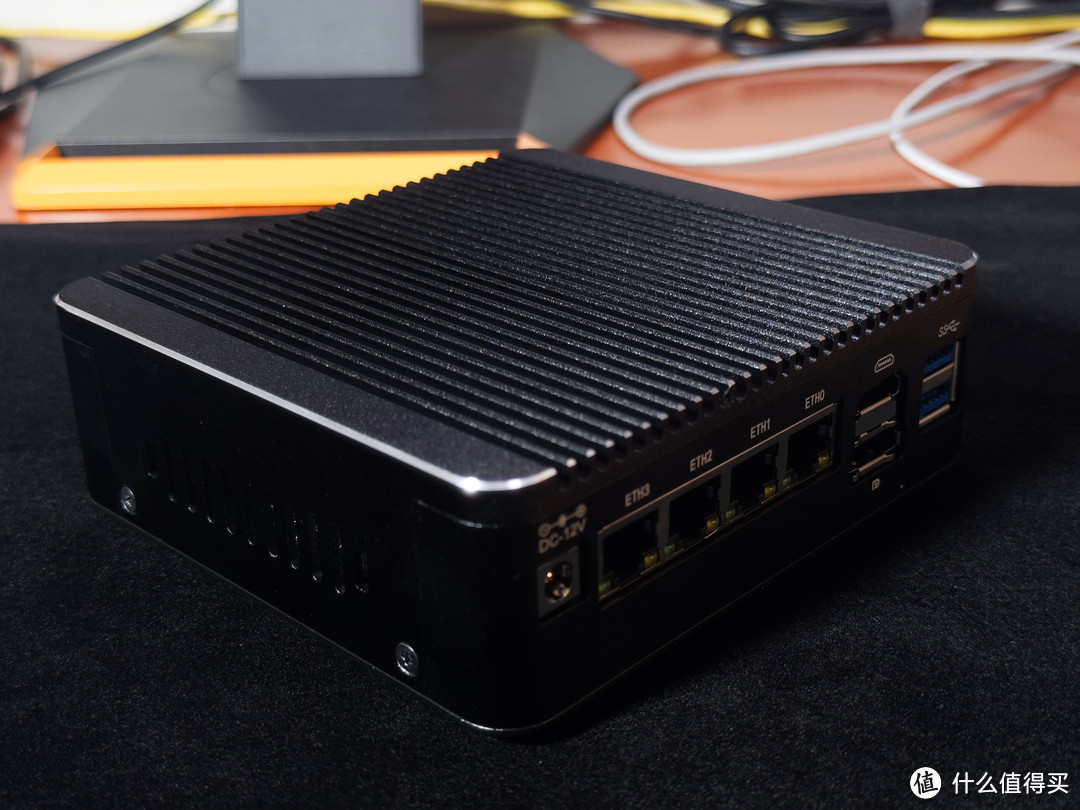 N100
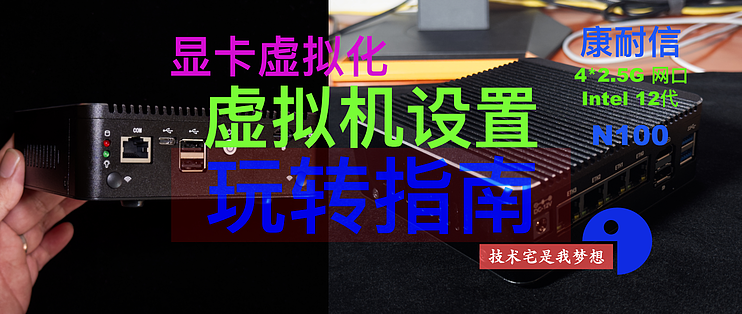
N100今天继续更新双十一入手N100小主机玩转指南,之所以选择N100小主机:就是冲着Intel 11 代CPU以后的显卡都是支持显卡虚拟化的,目前还在测试中,所以需要编译内核才能使用。
之前的文章已经分享过如何操作
10代级以前的CPU显卡只能用GVT技术
GPU SR-IOV guest configure(显卡虚拟化:虚拟机相关设置)
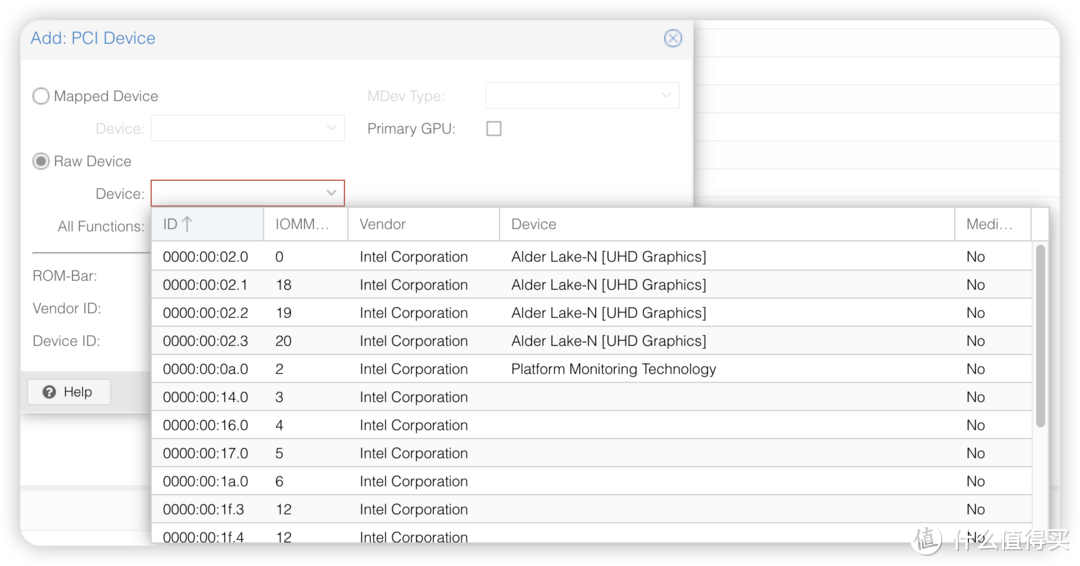 可添加显卡
可添加显卡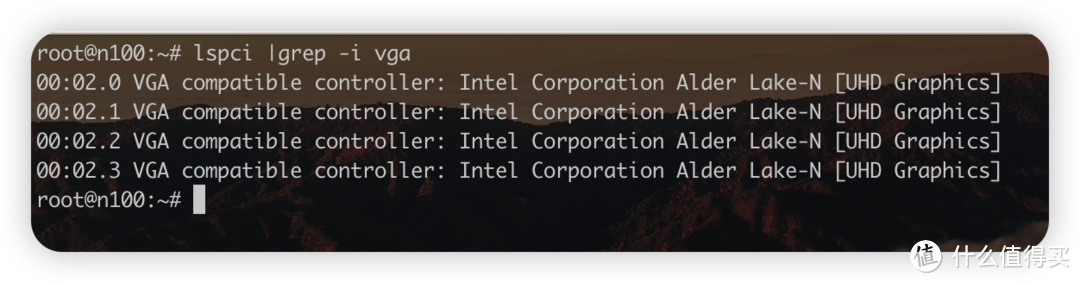 虚拟显卡检查
Linux Guest Configure (Linux 虚拟机设置)
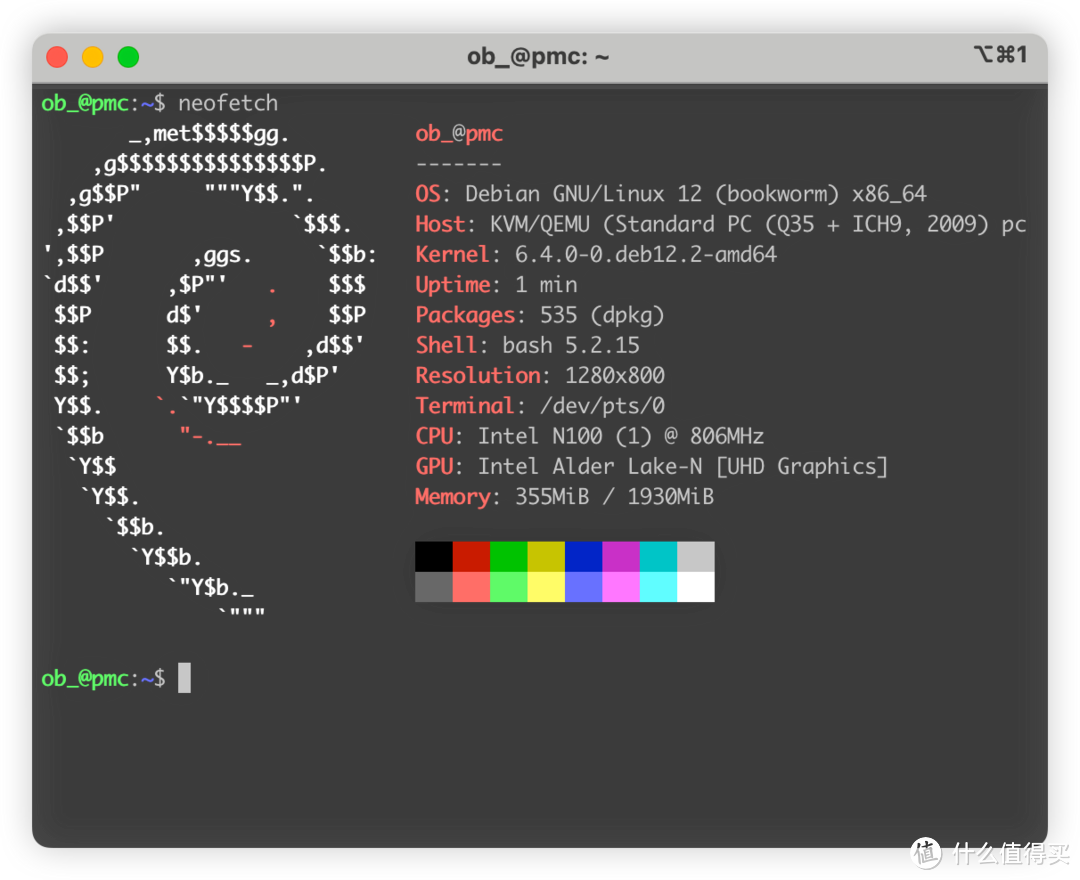
sugesst your guest kernel >= 6.2 ( 建议内核版本 >= 6.2 )
disable secure boot ( 关闭安全启动 )
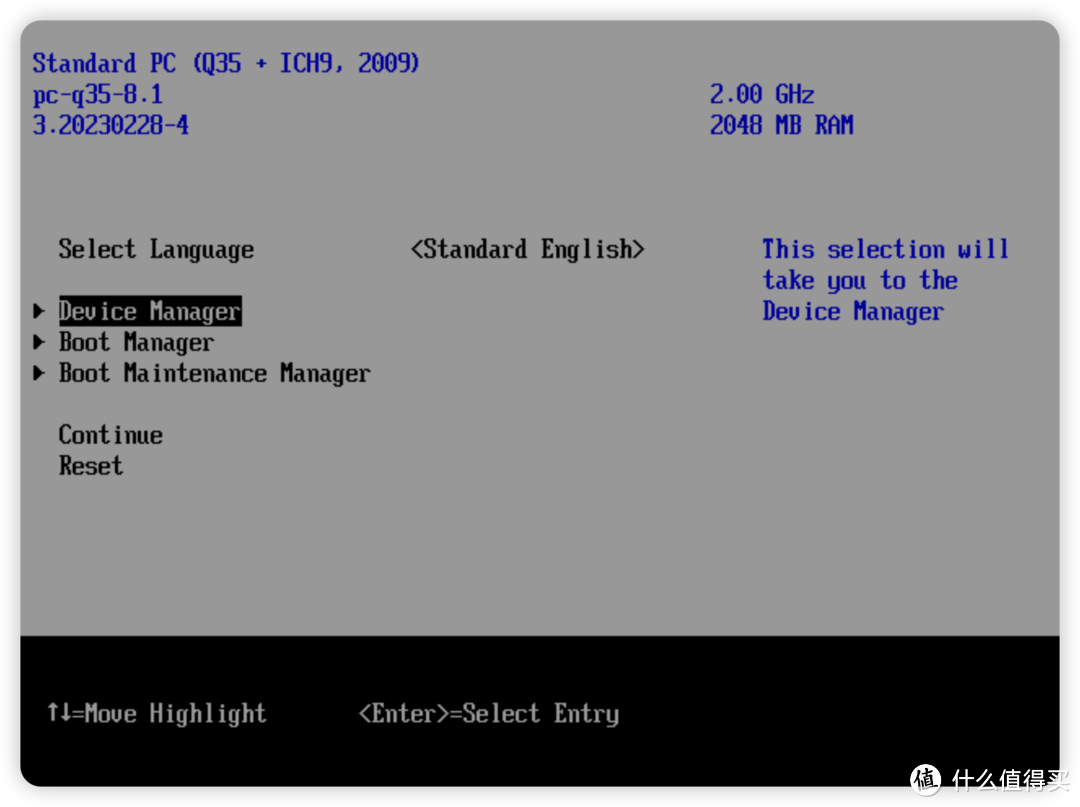
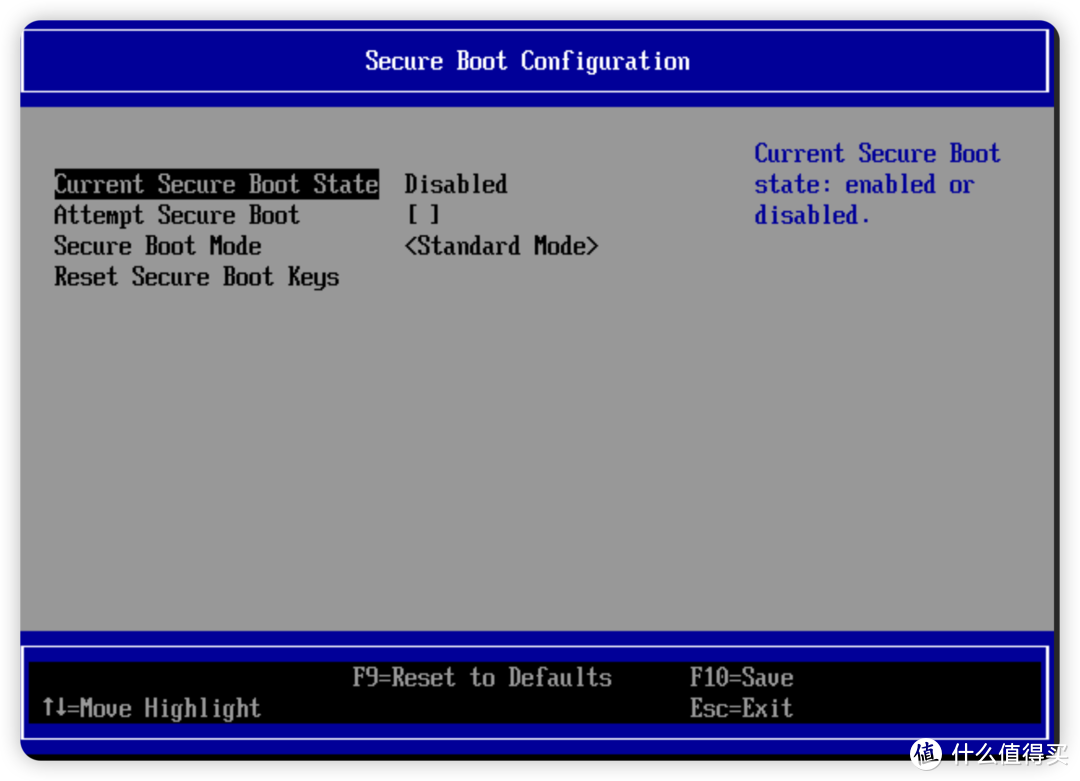 关闭安全启动
must use Q35 chip (必须使用q35芯片组)
Disable balloon (关闭内存共享)
Must use OVMF UEFI ( 必须使用UEFI启动 )
Add SR-IOV gpu after install SR-IOV i915 driver (安装驱动以后再添加虚拟显卡)
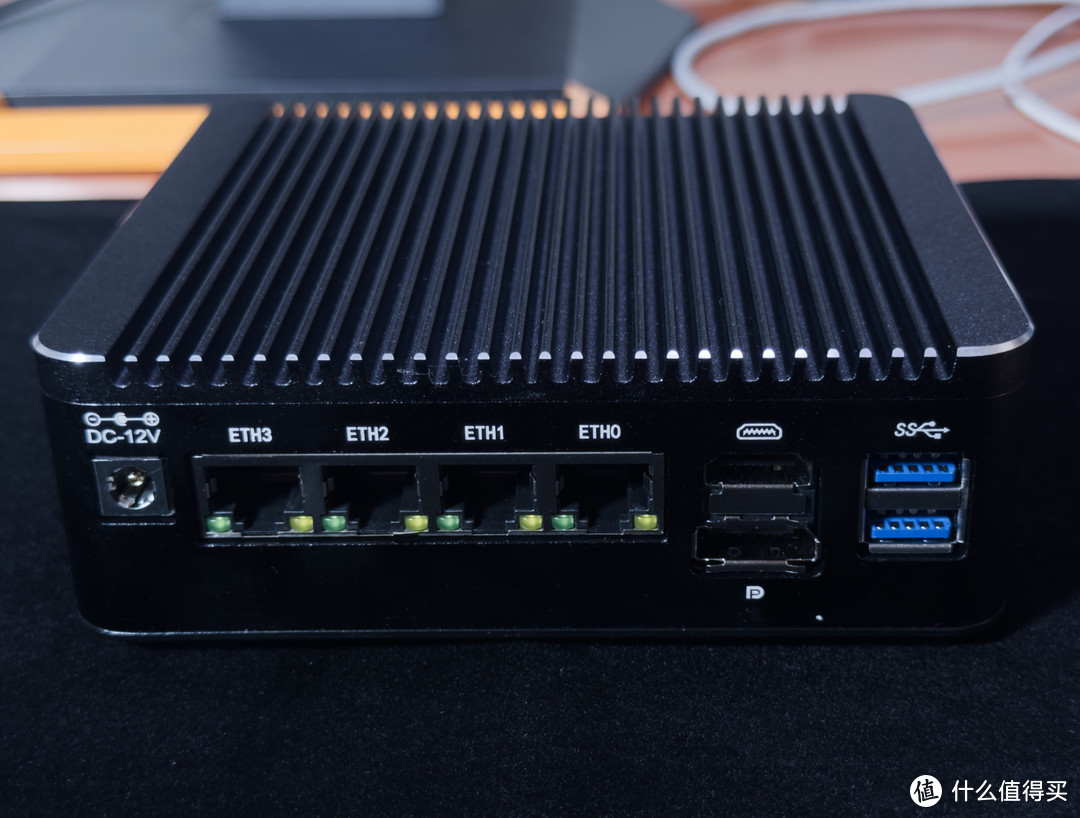 N100
N100I will be use debian 12 to do this ( 接下来我用 Debian 12 代号 bookworm 来演示 )
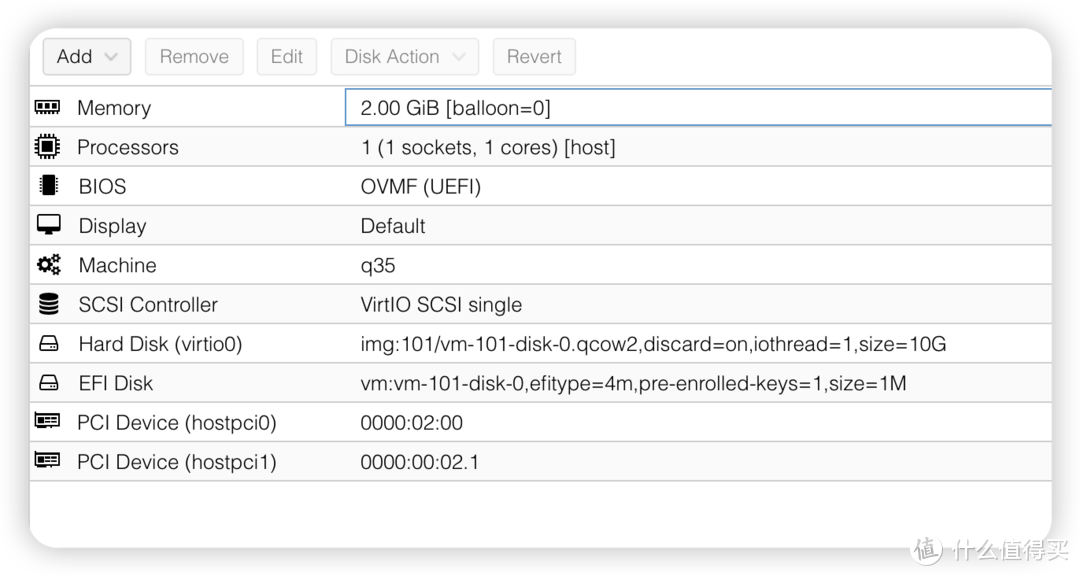 N100 Linux Guest
Add backports sources (添加 backports 源)
because debian 12 default kernel 6.1,so need install new kernel (因为 debian 12 默认内核版本较低,需要添加 backports 源,安装较新的内核,我测试的版本 6.4 可用)
更改适合你网络情况的镜像, I use ustc mirrors!
echo "deb http://mirrors.ustc.edu.cn/debian bookworm-backports main non-free-firmware" >> /etc/apt/sources.list
Update your system 更新你的系统
# apt update
install new kernel 安装新内核
# apt install linux-headers-6.4.0-0.deb12.2-amd64
更新 initramfs
# update-initramfs -u -k all
重启
# reboot
install i915 sriov drivers 接下来打 i915 驱动打补丁
git sources 下载源码
cd /usr/src/ git clone https://github.com/strongtz/i915-sriov-dkms i915-sriov-dkms-6.4
edit file 编辑源文件
edit /usr/src/i915-sriov-dkms-6.4/dkms.conf with the following: PACKAGE_NAME="i915-sriov-dkms" PACKAGE_VERSION="6.4"
start dkms 开始打补丁
dkms install --force -m i915-sriov-dkms -v 6.4
edit kernel cmdline 编辑内核参数
edit /etc/default/grub with the following: GRUB_CMDLINE_LINUX_DEFAULT="quiet i915.enable_guc=3"
update initramfa 更新 initramfs
# update-grub # update-initramfs -u
poweroff 关机
# poweroff
Guest add SR-IOV iGpu 虚拟机添加虚拟显卡
boot your guest 启动虚拟机
check 检查是否工作
 显卡检查
显卡检查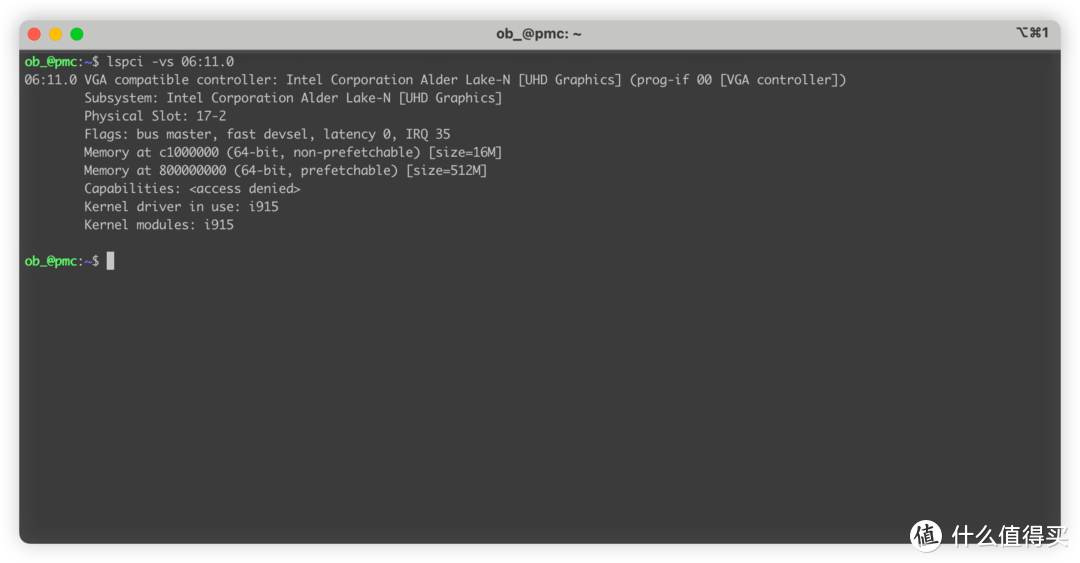 i915
i915Running in SR-IOV VF mode 说明已经工作在 sr-iov 模式了!
# dmesg | grep i915
[ 0.000000] Command line: BOOT_IMAGE=/vmlinuz-6.4.0-0.deb12.2-amd64 root=/dev/mapper/pmc--vg-root ro quiet i915.enable_guc=3
[ 0.017516] Kernel command line: BOOT_IMAGE=/vmlinuz-6.4.0-0.deb12.2-amd64 root=/dev/mapper/pmc--vg-root ro quiet i915.enable_guc=3
[ 3.279578] i915: loading out-of-tree module taints kernel.
[ 3.279625] i915: module verification failed: signature and/or required key missing - tainting kernel
[ 3.807172] i915 0000:06:11.0: Running in SR-IOV VF mode
[ 3.813391] i915 0000:06:11.0: [drm] GT0: GUC: interface version 0.1.0.0
[ 3.823986] i915 0000:06:11.0: [drm] VT-d active for gfx access
[ 3.824015] i915 0000:06:11.0: [drm] Using Transparent Hugepages
[ 3.828662] i915 0000:06:11.0: [drm] GT0: GUC: interface version 0.1.0.0
[ 3.840880] i915 0000:06:11.0: GuC firmware PRELOADED version 1.0 submission:SR-IOV VF
[ 3.840886] i915 0000:06:11.0: HuC firmware PRELOADED
[ 3.846126] i915 0000:06:11.0: [drm] Protected Xe Path (PXP) protected content support initialized
[ 3.846135] i915 0000:06:11.0: [drm] PMU not supported for this GPU.
[ 3.846307] [drm] Initialized i915 1.6.0 20201103 for 0000:06:11.0 on minor 1
lspci | grep -i vga
00:01.0 VGA compatible controller: Device 1234:1111 (rev 02) 06:11.0 VGA compatible controller: Intel Corporation Alder Lake-N [UHD Graphics]
done 完成 ✅
Windows Guest 设置 —— Win10 为例
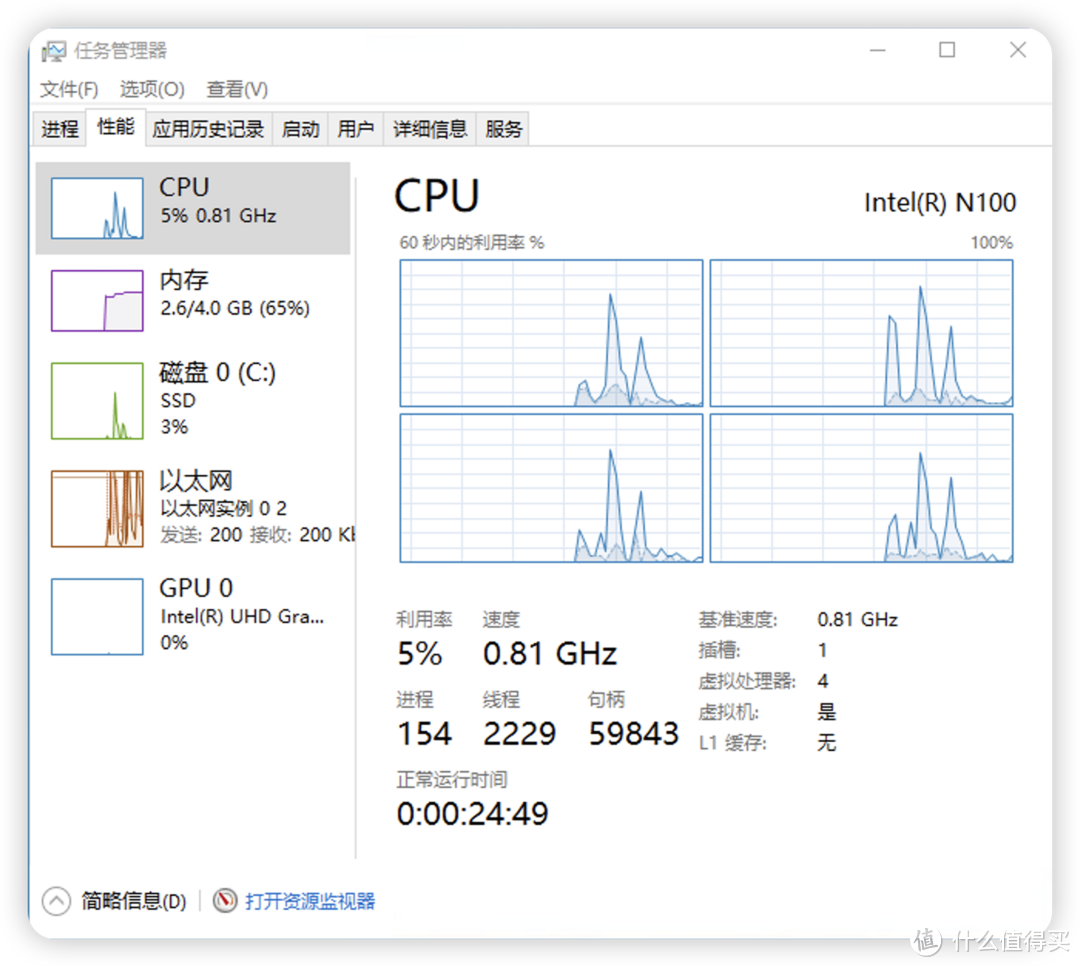
install win10 guest 正常安装虚拟机
you can add SR-IOV gpu 可以添加虚拟显卡
cpu 必须 host 模式
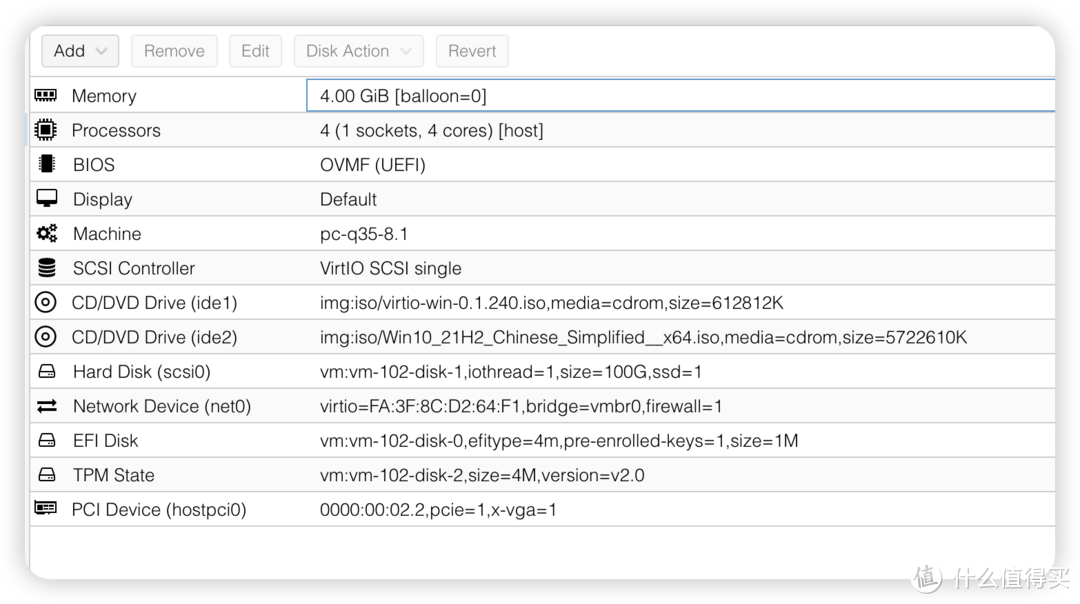 配置格式
配置格式disable balloon 关闭内存共享
OVMF UEFI boot 必须使用 UEFI 启动
q35 chips 必须使用q35芯片组
SR-IOV GPU could be set primary GPU after install intel gpu drivers 安装驱动以后才能设置成主显卡,注意此时的vnc就不可用了,搞好网络设置和 rdp 再这么干 .
SR-IOV GPU must set pci-Express
注意:如果遇到 43 bug,禁用 igpu 显卡再重新启用可以解决。
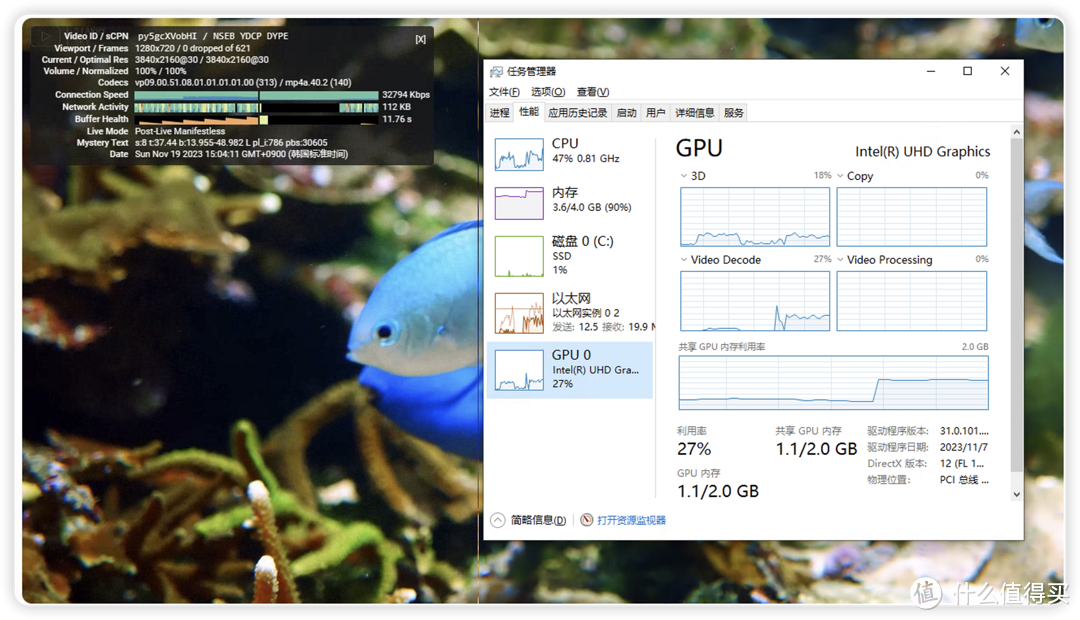
安装好虚拟机以后 ,进去设置好远程桌面,装好显卡驱动,就完成了!
After installed windows vm, must set rd desktop or other remote desk,
then install new intel gpu driver.
感谢阅读
欢迎点评!
加入圈子讨论!
作者声明本文无利益相关,欢迎值友理性交流,和谐讨论~






校验提示文案
校验提示文案
校验提示文案
校验提示文案
校验提示文案
校验提示文案
校验提示文案
校验提示文案
校验提示文案
校验提示文案
校验提示文案
校验提示文案
校验提示文案
校验提示文案
校验提示文案
校验提示文案
校验提示文案
校验提示文案
校验提示文案
校验提示文案
校验提示文案
校验提示文案