


































96
44
ONLYOFFICE深度解锁系列.14-如何在表格调用异步API,集成外部数据
2025-08-03 09:05:25
0点赞
0收藏
0评论
在实时数据处理需求激增的今天, onlyoffice 文档 9.0 的异步 API 支持让自定义函数更加强大和灵活。通过在自定义函数中调用异步 API,开发者可直接在表格中集成外部数据源进行分析。本文将通过案例,带您了解如何将异步 API 集成到您自己的解决方案中。
关于 ONLYOFFICE 自定义函数
自定义函数是 ONLYOFFICE 表格编辑器中宏功能的有力补充。通过这一功能,您可以创建自定义函数,并直接在电子表格中导出和使用。
调用路径:视图 > 宏 > 自定义函数
(function () { /** * This is a custom function that can be used in the editor. * @customfunction * @param {number} value - description of the parameter. * @returns {number} Description of the returned data. */ function customFunctionName(value) { // Add your custom calculation logic here return // your calculation result; } // Register the custom function with the editor Api.AddCustomFunction(customFunctionName);})();
新增功能
ONLYOFFICE 文档 9.0 版本开始支持在自定义脚本中调用异步函数。您现在可以:
向任何服务发送异步网络请求。
向 AI 服务提供商发送异步请求。
在 async 函数中使用异步 JS 代码。
处理异步响应。
将结果直接导出到表格。
(function () { // Make an asynchronous request let asyncFunc = async function (value) { let request = await fetch("https://yourURL"); const jsonData = await request.json(); if (value === undefined) { value = 2; } return jsonData; }; /** * This is a custom function that can be used in the editor. * @customfunction * @param {number} value - description of the parameter. * @returns {number} Description of the returned data. */ async function customFunctionName(value) { // Call the asynchronous function and return its result return await asyncFunc(value); } // Register the custom function with the editor Api.AddCustomFunction(customFunctionName); })();
在自定义函数中使用异步 API 调用
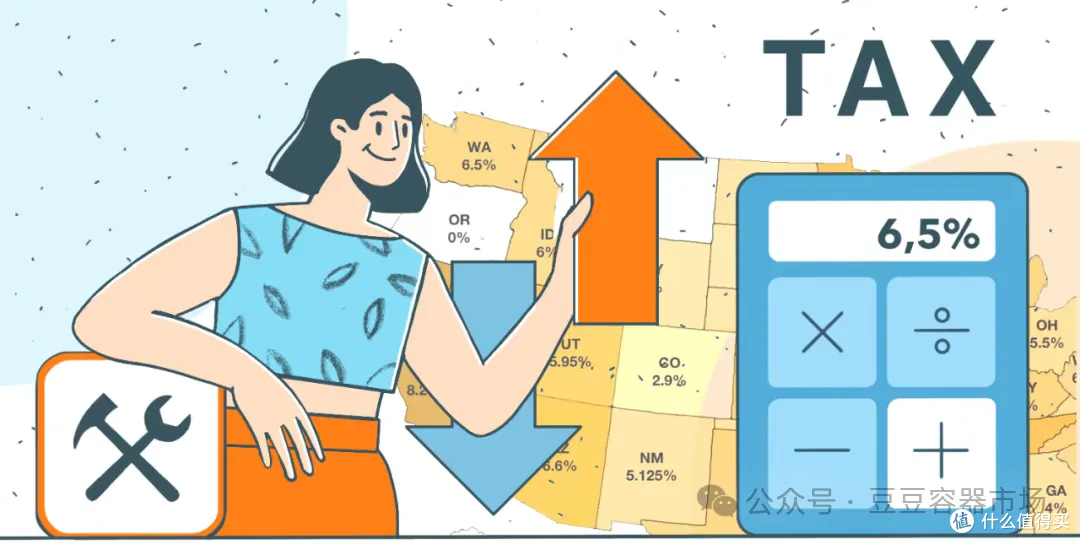
在本示例中,我们使用来自 API Ninjas 的销售税 API,它可返回美国任意邮政编码对应的州销售税率。
注意:要使用此 ONLYOFFICE 自定义函数
构建宏
首先,我们定义一个异步函数 getSalesTax:
let getSalesTax = async function (value) {}
它接收一个参数值,即美国邮政编码。
如果未提供,则默认为 90210:
let getSalesTax = async function (value) {} if (undefined === value) { value = 90210; }
考虑到部分邮政编码以 0 开头,我们将其转换为 5 位字符串格式:
// Convert to string and add missing zeros if needed let zipStr = value.toString(); while (zipStr.length < 5) { zipStr = '0' + zipStr; }
例如,输入 31 将转换为 “00031”。
然后,我们通过将邮政编码作为查询参数附加到 URL ,来构建 API 的请求 URL 。
接着,向 API 发送一个 GET 请求:
let request = await fetch(url, { method: 'GET', headers: { 'X-Api-Key': 'yourAPIkey', 'Content-Type': 'application/json' } });
我们将 JSON 响应解析为一个可用的 JavaScript 对象:
let jsonData = await request.json();
从返回数组的第一项中提取 state_rate 字段,即该 编码对应州的销售税税率,并将其作为结果返回:
const taxRate = jsonData[0].state_rate; return taxRate;
然后,我们定义自定义函数的参数和说明:
/** * Function that returns state sales tax. * @customfunction * @param {number} value - zip code. * @returns {number} Returns state sales tax data. */
通过异步函数获取响应结果:
async function salestax(value) { return await getSalesTax(value); }
然后注册该自定义函数:
// Add the custom function Api.AddCustomFunction(salestax);})();
现在我们可以在表格中直接调用 SALESTAX() 函数了。
完整代码如下:
(function () { // Function that returns sales tax data from api-ninjas.com let getSalesTax = async function (value) { if (undefined === value) { value = 90210; } // Convert to string and add missing zeros if needed let zipStr = value.toString(); while (zipStr.length < 5) { zipStr = '0' + zipStr; } const url = 'https://api.api-ninjas.com/v1/salestax?zip_code=' + zipStr; let request = await fetch(url, { method: 'GET', headers: { 'X-Api-Key': 'yourAPIkey', 'Content-Type': 'application/json' } }); let jsonData = await request.json(); const taxRate = jsonData[0].state_rate; return taxRate; }; /** * Function that returns state sales tax. * @customfunction * @param {number} value - zip code. * @returns {number} Returns state sales tax data. */ async function salestax(value) { return await getSalesTax(value); } // Add the custom function Api.AddCustomFunction(salestax);})();
福利推荐-软件安装获取方法
豆豆容器市场专注提供优质Docker应用服务,集成一键式容器安装功能,助力用户快速部署OnlyOffice、协作空间、Nextcloud、可道云等办公应用。平台新增IPv6内网直连技术,搭配自动化SSL证书配置及智能域名解析功能,为家庭云服务提供完整技术方案,简化私有云搭建与运维流程,轻松实现高效云端协作管理。
本容器市场针对各种nas设备优化,全线安装服务支持飞牛、群晖、威联通、麒麟、ubuntu、centors等各种linux系统。
onlyoffice协作空间除了提供常规的标准版/企业版/开发版,还特别针对机器配置较低的用户,独家提供协作空间迷你版(仅需5g内存即可正常运行,官方其他版本需要16g内存)。
onlyoffice已经支持ARM和x86双模式安装,其他软件同步支持中。
地址: https://ds.sendtokindle.net.cn/
 图片
图片