















































7
5
玩转NAS第3期-基于crontab的公网IP变更通知
2023-10-14 10:22:14
10点赞
71收藏
15评论

前言
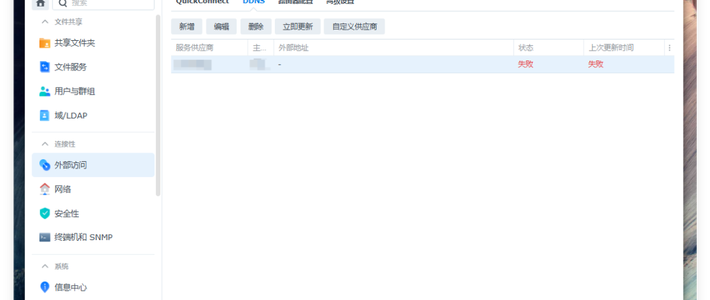
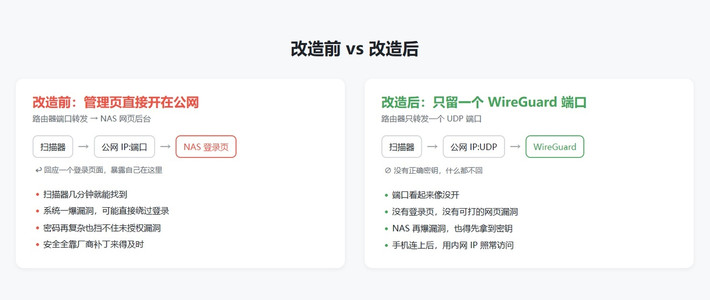
外网访问对于广大NAS玩家而言可以算的上是刚需了,我目前采用的方案是使用将光猫桥接到路由上获取动态公网IP,再在路由配置端口转发实现NAS的外网访问。该方案配合DDNS(动态域名解析)可以很方便的实现外网访问,但在国内想要正常使用需要对域名和服务都进行备案,由于备案较为繁琐我省去了该环节通过公网IP直接访问NAS,也因此对于公网IP的变更较为敏感。简单调研后自己写了一IP监测个脚本,通过NAS的crontab定时调用该脚本监测公网IP,当IP发生变化时通过微信和邮件自动通知。
脚本编写
监测公网IP
微信通知
邮件通知
homarr配置修改
我是用的NAS运行的群晖DSM7.2系统,该系统上已经安装了python3.8,因此采用python语言作为IP监测脚本开发语言,代码如下:
import requests
import logging
import smtplib
import json
import re
from email.mime.text import MIMEText
log_file_name = "ip-notify.log" #日志文件名
ip_record_file_name = "ip.txt" #记录ip文件名
xts_token = "" #虾推啥token
email = "" #邮箱地址
email_auth_code = "" #邮箱smtp授权码
email_smtp_addr = "smtp.qq.com" #邮箱smtp地址
homarr = "/volume1/@appdata/Homarr/data/configs/default.json" #homarr配置文件路径
#初始化日志
def init_log():
logging.basicConfig(filename=log_file_name
,format="%(asctime)s - %(name)s - %(levelname)-9s - %(filename)-8s : %(lineno)s line - %(message)s"
,filemode='a'
,level=logging.INFO)
#通过soho接口获取公网IP地址
def get_public_ip_sohu():
'''通过sohu提供的接口获取公网IP地址'''
try:
logging.info("start getting IP by soho")
res_content = requests.get("http://txt.go.sohu.com/ip/soip").text
ip_public = re.findall(r'd+.d+.d+.d+', res_content)[0]
logging.info("getting IP success:"+ip_public+" sohu API")
return ip_public
except:
logging.error("getting IP failed-soho API")
return '0.0.0.0'
#通过ipip获取公网IP地址
def get_public_ip_ipip():
try:
logging.info("start getting IP by ipip")
res_content = requests.get("http://myip.ipip.net").text
ip_public = re.findall(r'd+.d+.d+.d+', res_content)[0]
logging.info("getting IP success:" + ip_public + " ipip API")
return ip_public
except:
logging.error("getting IP failed-ipip API")
return '0.0.0.0'
def check_ip(ipaddress):
ip = ''
#读取ip.txt文件判断是否一直
try:
logging.info("start reading ip_record_file")
fr = open(ip_record_file_name,'r')
ip = fr.read()
if ip==ipaddress['ip']:
logging.info("IP not change")
ipaddress['ischanged'] = False
return ipaddress
logging.info("recorded ip address:"+ip)
fr.close()
except:
logging.error("ip_record_file don`t exist")
ipaddress['ischanged'] = True
#ip发生变化将ip写入ip_record_file_name文件中
with open(ip_record_file_name, 'w+') as file:
logging.info('start checking IP into ip.txt')
if ip == '' or ip !=ipaddress['ip']:
logging.warning('IP changed, writting into ip_record_file, original IP: '+ip+" new IP: "+ipaddress['ip'])
ipaddress['ischanged'] = True
file.write(ipaddress['ip'])
else:
ipaddress['ischanged'] = False
file.closed
return ipaddress
#获取IP地址
def check_ip_change():
#从两个渠道获取公网IP地址
ipaddress = {}
ipaddress['status'] = False
ip1 = get_public_ip_sohu()
ip2 = get_public_ip_ipip()
if ip1 !='0.0.0.0':
ipaddress['ip'] = ip1
ipaddress['status'] = True
elif ip2 != '0.0.0.0':
ipaddress['ip'] = ip2
ipaddress['status'] = True
else:
ipaddress['ip'] = '0.0.0.0'
ipaddress['status'] = False
#判断IP地址是否发生变化
if ipaddress['status'] == True:
ipaddress = check_ip(ipaddress)
return ipaddress
#虾推啥微信通知
def wechat_notify(ipaddress):
if(xts_token == ""):
logging.error("wechat notify failed, xts_token is null")
else:
push_url = "https://wx.xtuis.cn/{token}.send".format(token=xts_token)
message={
'text':"IP变动通知",
'desp':"{ip}".format(ip=ipaddress['ip'])
}
try:
requests.get(push_url,data=message)
logging.info("wechat notify success")
except:
logging.error("wechat notify failed, xts API failed")
return
#email通知
def email_notify(ipaddress):
if email == "" or email_auth_code == "":
logging.error("email notify failed, email or email_auth_code is null")
else:
smtp = smtplib.SMTP()
smtp.connect(email_smtp_addr, '25')
smtp.login(email,email_auth_code)
mail = MIMEText("IP changed, the new IP is: {ip}".format(ip=ipaddress['ip']))
mail['Subject'] = "IP变化通知"
mail['From'] = email
mail['To'] = email
smtp.sendmail(email, email, mail.as_string())
logging.info("email notify success")
#homarr修改
def rewrite_homarr_config(ipaddress):
if homarr == "":
logging.error("homarr config change failed, homarr is null")
else:
#读取homarr配置文件
config = ''
try:
file = open(homarr,'r', encoding="utf-8")
config = json.load(file)
#修改homarr文件
for app in config['apps']:
app['behaviour']['externalUrl'] = re.sub(r'd+.d+.d+.d+', ipaddress['ip'], app['behaviour']['externalUrl'])
file.close()
except:
logging.error("can not open homarr config file")
return
with open(homarr, 'w+') as fr:
if config != '':
json.dump(config, fr)
logging.info("homarr config change success")
fr.closed
return
#程序入口
if __name__ == '__main__':
init_log()
logging.info('###################start running script########################')
res = check_ip_change()
if res['status'] == True and res['ischanged'] == True:
wechat_notify(res) #微信通知
email_notify(res) #邮箱通知
rewrite_homarr_config(res) #修改homarr中各应用外网地址
logging.info('###################script end########################')
主要功能如下:
公网IP监测:分别通过调用soho和ipip提供的接口获取,同时从两个接口获取可以有效避免出现单点故障
微信通知:使用虾推啥提供的API接口,只需在微信关注该服务即可免费获取token,每天限制推送500条,每分钟最高10条,对于一般用户来说足够了。
邮件通知:需要设置自己的邮箱地址、smtp服务器地址以及smtp授权码,这些都可以根据自己邮箱账户查到
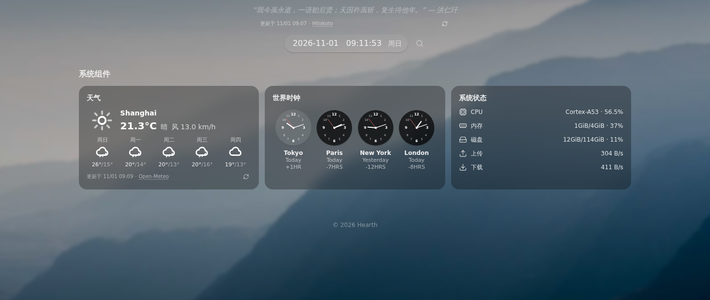
Homarr配置修改:IP变更时自动修改homarr上配置的各应用外网访问地址,这样只需记住homarr的端口就可访问其他所有服务
软件部署
脚本写好后还需要将其部署到NAS上并设置定时运行。这里需要借助linux的crontab来实现(群晖DSM7.2是在linux的基础上改造而来,因此也具备该功能),我们可以在固定的间隔时间执行指定的系统指令或 shell script脚本,时间间隔的单位可以是分钟、小时、日、月、周及以上的任意组合。
将写好的脚本命名为ipcheck.py并将其上传到NAS,我将其上传到了/volume1/homes/scripts/

上传完成后,打开控制面板进入终端机和SNMP页面,勾选启用SSH功能

使用计算机上的SSH软件连接到群晖,并执行sudo su命令进入管理员模式,密码和群晖登录密码一致。

执行vim /etc/crontab命令编辑crontab,添加0 5 * root /usr/bin/python /volume1/homes/scripts/ipcheck.py到最后一行,该命令意思为每天五点指定调用python执行ipcheck.py脚本,如果你想使用不同的定时执行策略可百度了解crontab配置方法。

编辑完成后执行synosystemctl restart crond命令重启crontab即可完成配置。
脚本第一次执行时默认发送IP变动通知,我们就可通过微信或邮箱查看到当前公网IP了。

最后
在crontab和python脚本的加持下除了IP变动通知还可以做一些其他更有意思的事情,后续有机会我也会展示给大家。
如果您喜欢我的文章请点一个小小的赞,这对我真的很重要。

作者声明本文无利益相关,欢迎值友理性交流,和谐讨论~
















校验提示文案
校验提示文案
校验提示文案
校验提示文案
校验提示文案
校验提示文案
校验提示文案
校验提示文案
校验提示文案
校验提示文案
校验提示文案
校验提示文案
校验提示文案
校验提示文案
校验提示文案
校验提示文案
校验提示文案
校验提示文案
校验提示文案
校验提示文案