







































18
19
R深度学习基础:Rstudio出现package ‘XXX’is not available for this version of R的解决方法
2024-04-22 11:23:11
7点赞
7收藏
7评论
本文以安装“clusterProfiler”包为例进行说明。
Warning in install.packages :
  package ‘clusterProfiler’ is not available for this version of R

A version of this package for your version of R might be available elsewhere,
see the ideas at
Rstudio安装包时出现

这是因为没有指定特定的“存储源”引起的,也就是R找不到名叫“clusterProfiler”的存储源,因此只能报错。首先找到该包的源,然后接着安装。对于clusterProfiler这个包来说,可以通过BiocManager来安装:
if (!require("BiocManager", quietly = TRUE))
install.packages("BiocManager")
BiocManager::install("clusterProfiler")
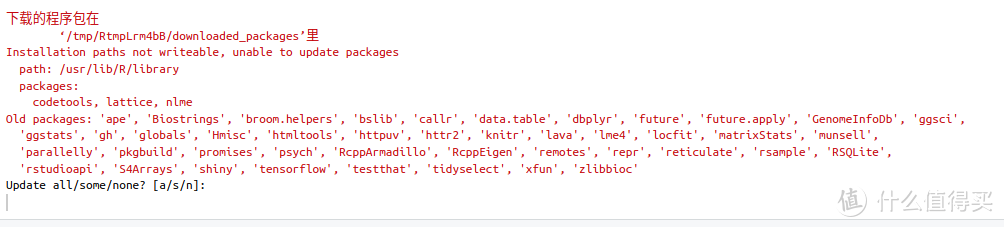
将上面的3条命令输入Rstuio并回车后,就会自动安装"clusterProfiler"了,安装过程中,出现下图的提示,选择a,然后回车:
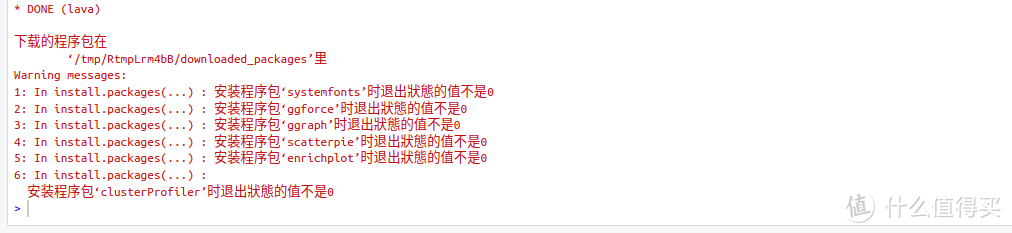
如果安装结束后,出现下面的提示,代表需要先解决‘systemfonts’、‘ggforce’、‘ggraph’、‘scatterpie’、‘enrichplot’等5个包,才能正常的安装"clusterProfiler"包。
第一步、解决‘systemfonts’:
安装‘systemfonts’时的报错提示:
* installing *source* package ‘systemfonts’ ...
** 成功将‘systemfonts’程序包解包并MD5和检查
** using staged installation
Package fontconfig was not found in the pkg-config search path.
Perhaps you should add the directory containing `fontconfig.pc'
to the PKG_CONFIG_PATH environment variable
No package 'fontconfig' found
打开终端,输入下面的命令查找fontconfig.pc:

可以看见,fontconfig.pc的位置在
libfontconfig-dev: /usr/lib/x86_64-linux-gnu/pkgconfig/fontconfig.pc
之后用下面的命令定义fontconfig.pc的位置:
export PKG_CONFIG_PATH=/usr/lib/x86_64-linux-gnu/pkgconfig

再次在R里面安装,仍然报错,但是R提示需要安装libfontconfig1-dev, 按照R的提示,在终端用sudo apt install libfontconfig1-dev,然后继续:
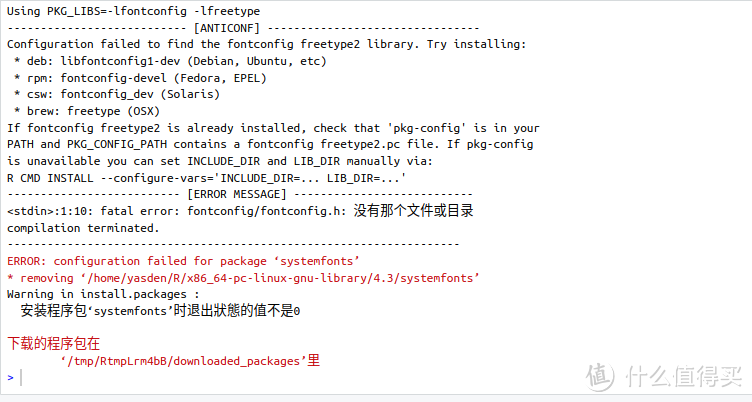
再次安装‘systemfonts’,终于成功,不报错了:
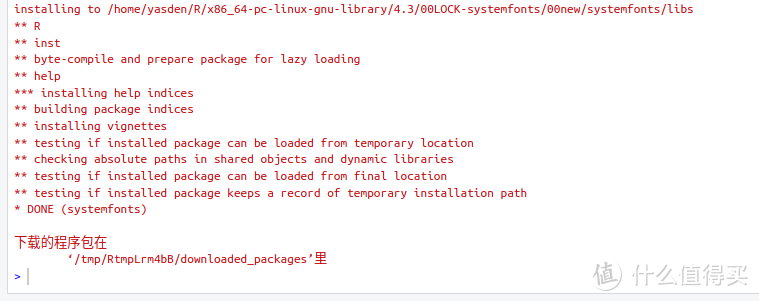
第2步、解决‘ggforce’
直接用install.packages("ggforce")命令解决,安装过程中没报错:
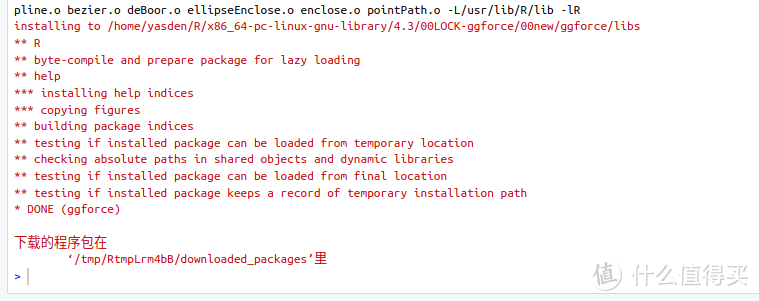
第3步、安装‘ggraph’
这一步也是直接用install.packages("ggraph")命令解决,安装过程中也没报错:
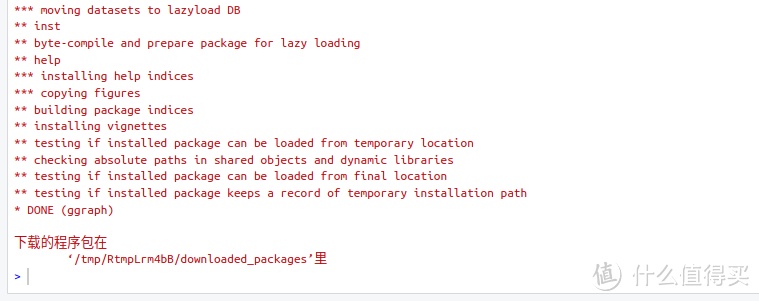
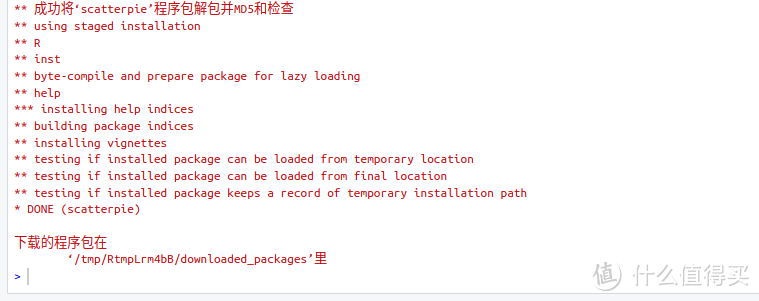
第4步、安装‘scatterpie’
用install.packages("scatterpie")命令解决,安装过程中也没报错:
第5步、安装‘enrichplot’
输入install.packages("enrichplot")命令进行安装,再次报错:
Warning in install.packages :
  package ‘enrichplot’ is not available for this version of R

A version of this package for your version of R might be available elsewhere,
see the ideas at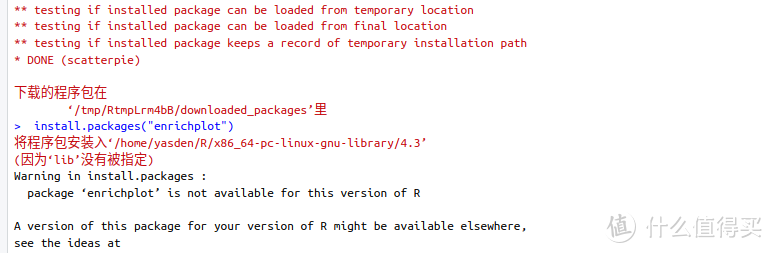
用下面的命令解决:
BiocManager::install("enrichplot")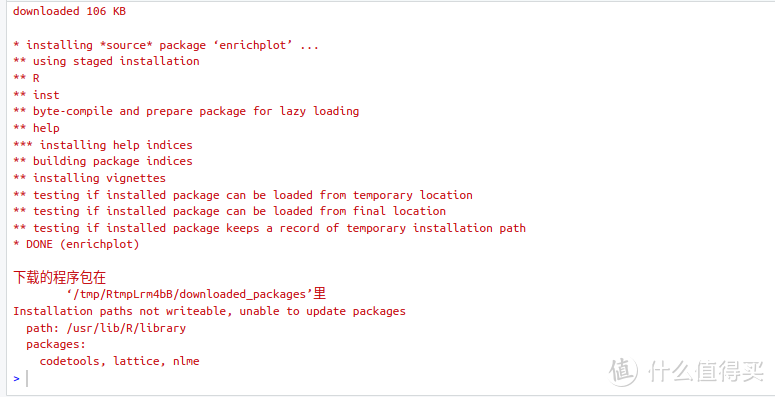
第6步、再次安装"clusterProfiler"
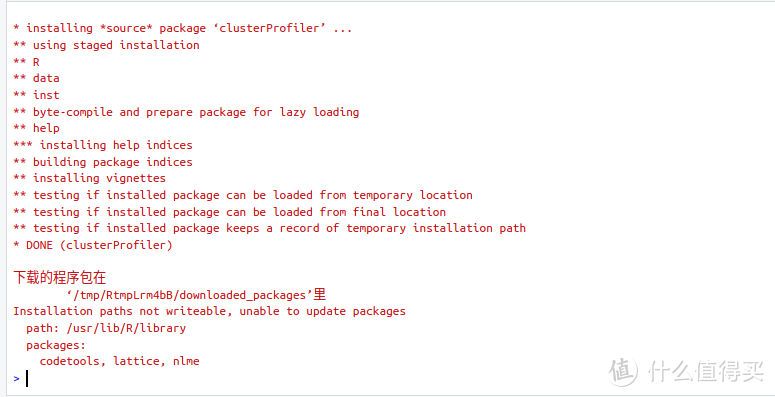
用下面的命令再次安装clusterProfiler,这次一次性成功:
BiocManager::install("clusterProfiler")
出现package ‘XXX’ is not available for this version of R报错的解决思路:
1、检查包的名字是否拼写错误,注意大小写,R是区分大小写的。
2、选择正确的“源”位置,用setRepositories()命令设置“源”的位置:
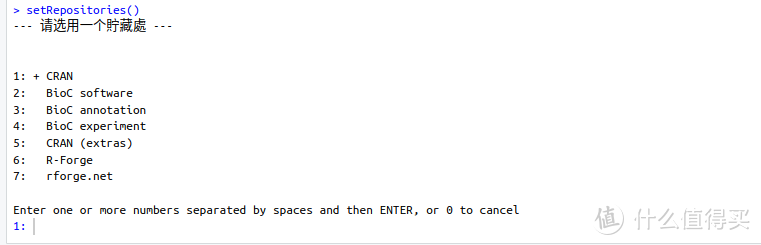
设置好之后,用下面的命令测试包是否在源里面:
ap <- available.packages()
View(ap)
"clusterProfiler" %in% rownames(ap)
用上面的2条命令测试"clusterProfiler"这个包是否在源里面,如果返回结果时FALSE,代表源里面找不到包,这时候,你就要在源之外的其他地方找了。
注意:使用View(ap)
"clusterProfiler" %in% rownames(ap)
这个命令的时候,你的包名字,要放在"clusterProfiler"的位置,如果包名是“A”,就将"clusterProfiler" 替换成“A”。

见上图,如果返回结果是FALSE,代表这个源里面,没有"clusterProfiler" 。
本文是指定BiocManager::install("clusterProfiler")来安装"clusterProfiler" 的。
全文完,谢谢观看。
作者声明本文无利益相关,欢迎值友理性交流,和谐讨论~









校验提示文案
校验提示文案
校验提示文案
校验提示文案
校验提示文案
校验提示文案
校验提示文案
校验提示文案
校验提示文案
校验提示文案